Connect Aera to your tools, watch the web for you, and ask from anywhere
This is a big one. Aera can plug into the apps you already live in, keep an eye on the web while you do other things, and help with the page in front of you without making you leave it. Scheduled work is sturdier when you are away, and the agent is simply better at the messy real apps people actually use.
Your apps, inside Aera
Open Settings > Connectors (or the Marketplace) and connect Slack, Notion, and hundreds of other tools. Sign in once, and Aera can use them in a normal chat or in a scheduled task: pull a ticket, post a summary, look something up, keep a project in sync. If you already have a connection config from elsewhere, you can paste it in. You stay in control of what is connected and what Aera is allowed to do.
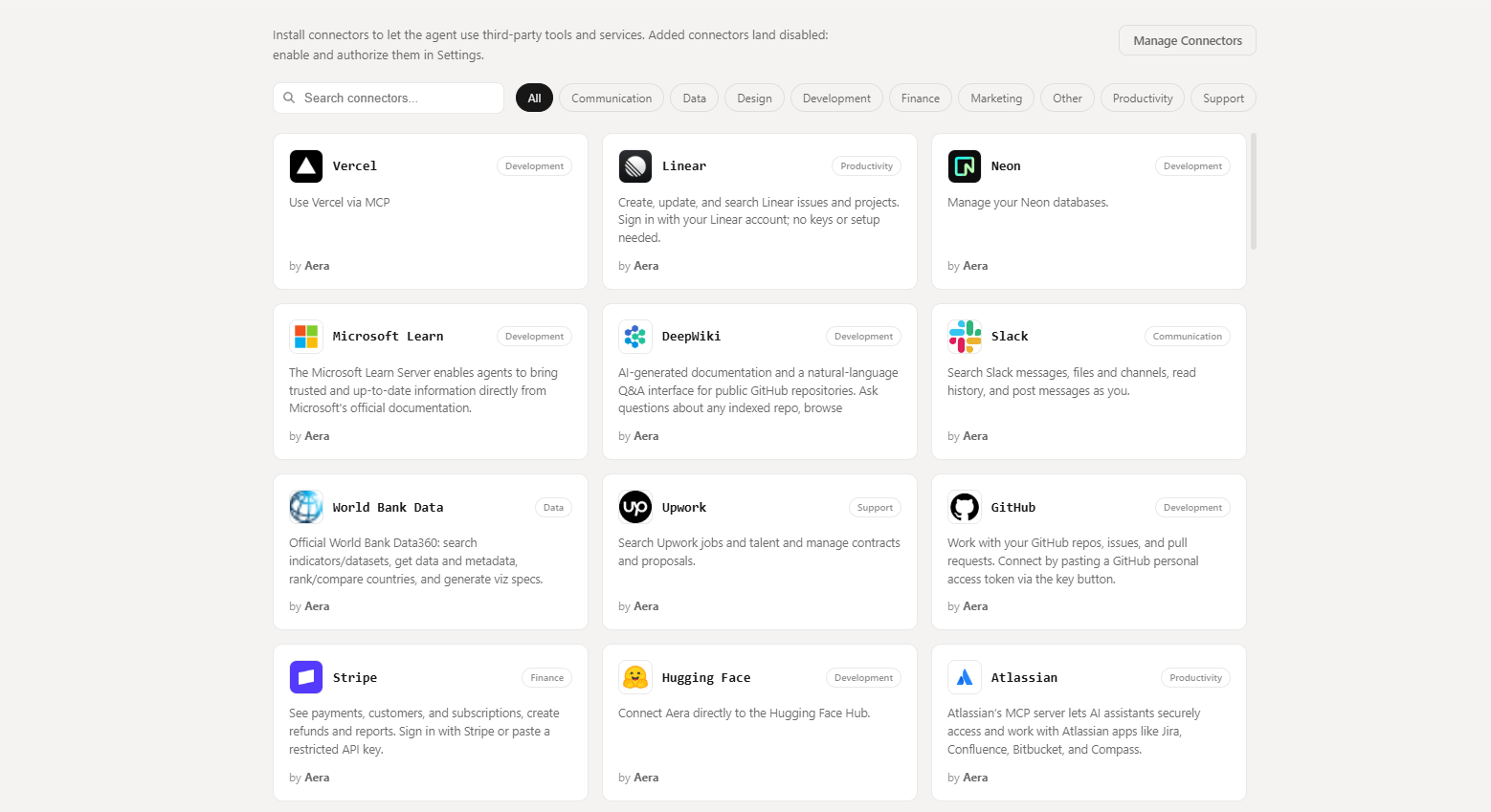
That is the difference between “help me in this browser tab” and “help me across the tools I already pay for.”
Watches that ping you when something changes
Tell Aera what to watch: a price, a listing, a status page, a feed. It checks on a schedule and only bothers you when something actually moves. You can get a notification, kick off a task with the details, or both. Manage it all under Tasks > Triggers, and optionally keep watches running even when Aera is closed.
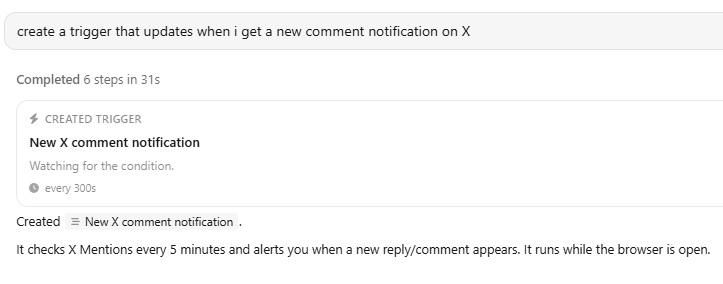
This is for the things you would check every morning if you remembered: competitor pages, stocked-again alerts, “did that form open yet,” without burning a full agent run every few minutes.
A canvas for how it all fits together
Tasks now has a Canvas: your watches, tasks, and notifications as cards you can arrange and link. Drag a line from a watch to a task when you want “if this changes, run that.” It is the same automations you already had, just visible as a picture instead of buried in lists.
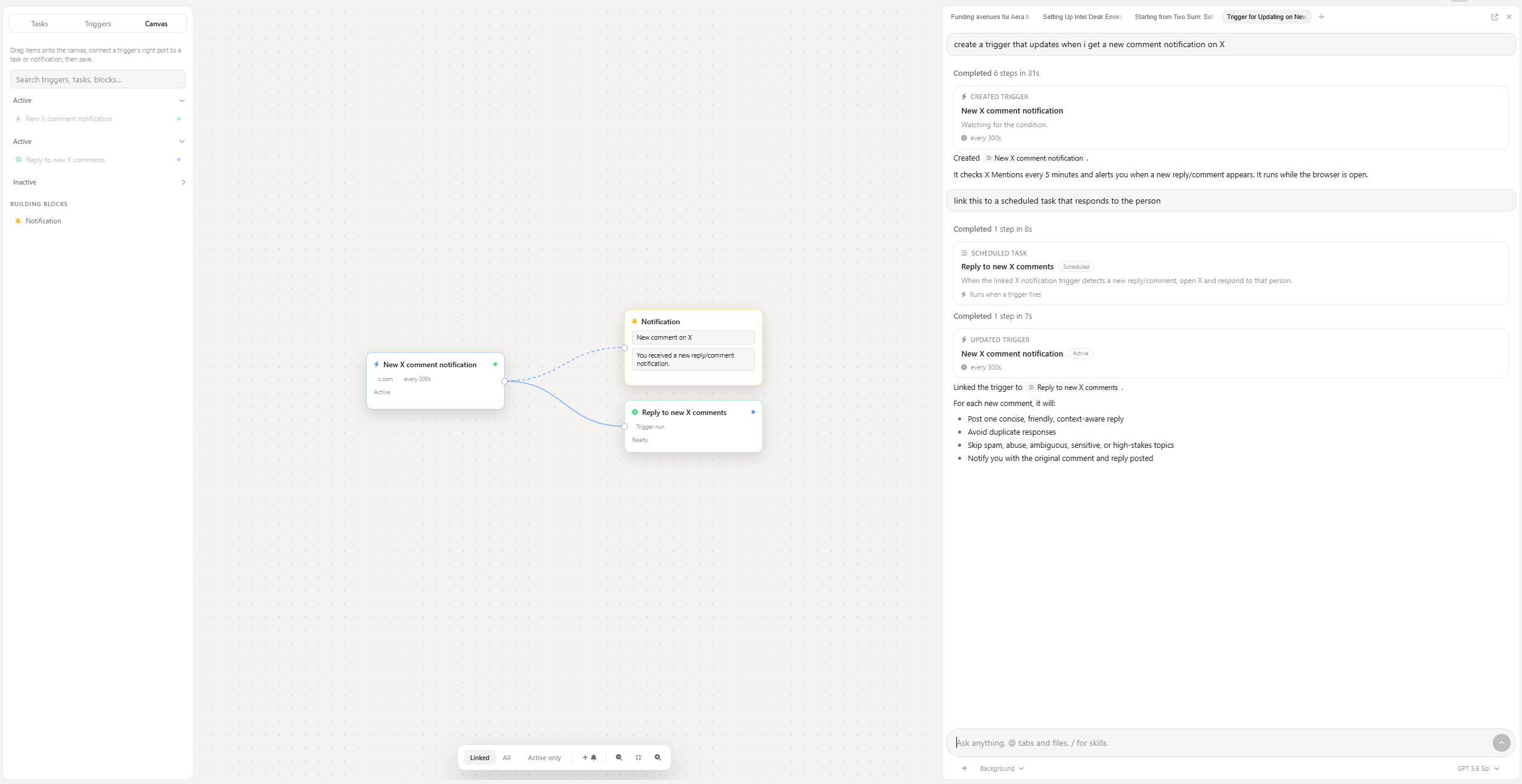
Whole workflows in one install
The Marketplace has Bundles now: a complete automation packaged together (skills, connections, watches, tasks). Install once, then review and turn each piece on when you are ready. Nothing sneaks off and runs on its own. You can update, roll back, remove, or share a bundle as a file.
Our first official bundle is Competitor Intel Desk: a daily competitor watch, a weekly brief, and setup helpers so you are not staring at a blank config. Built for the founder who knows they should be watching competitors and never quite has the time.
Skills that show up when they matter
Your saved skills can offer themselves when the work matches, including overnight tasks. Keep the ones you want automatic, and leave the rest manual if you only want them when you call them by name. The playbooks you already wrote keep working without you remembering every slash command.
Ask about the page you are on
From any tab, open Aera’s quick ask panel (same idea as the box on the New Tab page). Ask what this page is saying, compare it to another site, fill the form, draft the reply. Your tab stays yours unless you clearly ask Aera to take over. While it works you get a small activity card; open it for the full answer, nudge it to a corner, send a follow-up. Each new ask is a fresh chat, and it still shows up in Agents history.
It is the “I am looking at this right now” moment, without opening the sidebar or losing your place.
Tasks that keep their promises when you are away
The background service that runs scheduled work while Aera is closed got a serious reliability pass. Missed runs retry. Recurring schedules keep firing when the browser stays shut. The tray menu works again. Mac and Linux are in much better shape, not only Windows. And when a task finishes, fails, or needs you, you can get a desktop notification that takes you straight there.
Set “every weekday at 7” and mean it.
Done means done
Background scheduled tasks can check whether the goal was really met before calling a run a success. Half-finished work asks for your input instead of quietly pretending it won. You can turn that off per task if you want the old behavior; run history can show what was checked.
Overnight work should earn your trust, not your forgiveness.
Better at Docs, Sheets, editors, and ordinary sites
Everyday browsing with the agent should feel less fragile. Clicks and typing land more reliably. Keyboard shortcuts work when a site needs Escape, Tab, Save, or a hotkey. Code editors and Google Docs / Sheets are in a different league: fill a template, update a sheet, leave the formatting alone. Aera waits for real results instead of guessing sleep times, and it is honest when a page fails to load.
Research, forms, invoices, resumes, LeetCode-style editors: fewer retries, less thrash, less of your day spent babysitting.
A proper front door when you are signed out
Sign in and Create account open a dedicated login page with the familiar ambient background, instead of stuffing a long form into Settings or the sidebar. One clear place to get in.
New Tab and a calmer window
New Tab puts MCP, Agents, Tasks, Files, Marketplace, and Settings as simple cards under search. Aera’s own pages sit cleaner in the window. In light mode the chrome is a clean near-white again, and selected text in the address bar is readable.
Credits and long chats that behave
We fixed the false “credit limit reached” banner that could appear when you still had credit. Long conversations and multi-step work stay leaner as they grow, so you are less likely to get spooked mid-task or pay to repeat the same context over and over.
If you connect Aera from Cursor or similar
Settings > MCP now shows simple, copy-ready connection details for the preferred local setup. Outside tools stay better isolated from your in-app chats.
Update past via Settings > About Aera, or download from https://getaera.app/download/.